
Short answer: A remote mower takes the operator off the slope, but a long day on a bank still wears people down. Plan the day around set breaks, shade and water. Pick standing spots that are safe and easy to reach, and limit how much walking each operator does. Swap tasks within the crew so no one holds the remote all day. A tired operator is the biggest risk on the site, not the machine.
Contractors and site managers often plan a bank-mowing job around machine hours. The people running the machines get less thought. Yet on a long day the operator’s focus sets the pace and the safety of the job. This guide covers simple ways to keep operators sharp from the first pass to the last.
Why remote mowing still tires people out
The operator no longer rides or pushes a machine on the slope. That removes a lot of strain. But other loads stay.
- Constant watching. The operator must keep eyes on the machine, the ground ahead and anyone nearby.
- Walking on rough ground. Moving from one standing spot to the next on a bank is hard work.
- Weather. Banks often have no shade, and summer cutting means sun and heat.
- Holding the handset. Hours of small stick movements tire the hands and neck.
Mistakes from fatigue tend to come late in the day. Plan for that from the start.
Plan breaks into the job
Do not leave breaks to chance. Put them in the job plan, the same way you plan fuel and flail checks.
- Tie short breaks to natural pauses, such as refuelling or moving to a new zone.
- Stop the machine and set it safe before anyone rests. Do not walk away from a running mower.
- Take longer breaks in shade, away from the bank.
- In hot weather, follow your local heat guidance. Start earlier and stop for the hottest hours if you can.
Make sure every operator has water, sun protection and a place to sit. These are small costs next to a lost day or an accident.
Long grass on warm banks can also hide snakes and stinging insects. If that is a risk where you work, read our guide to operator safety in snake country.
Cut down the walking
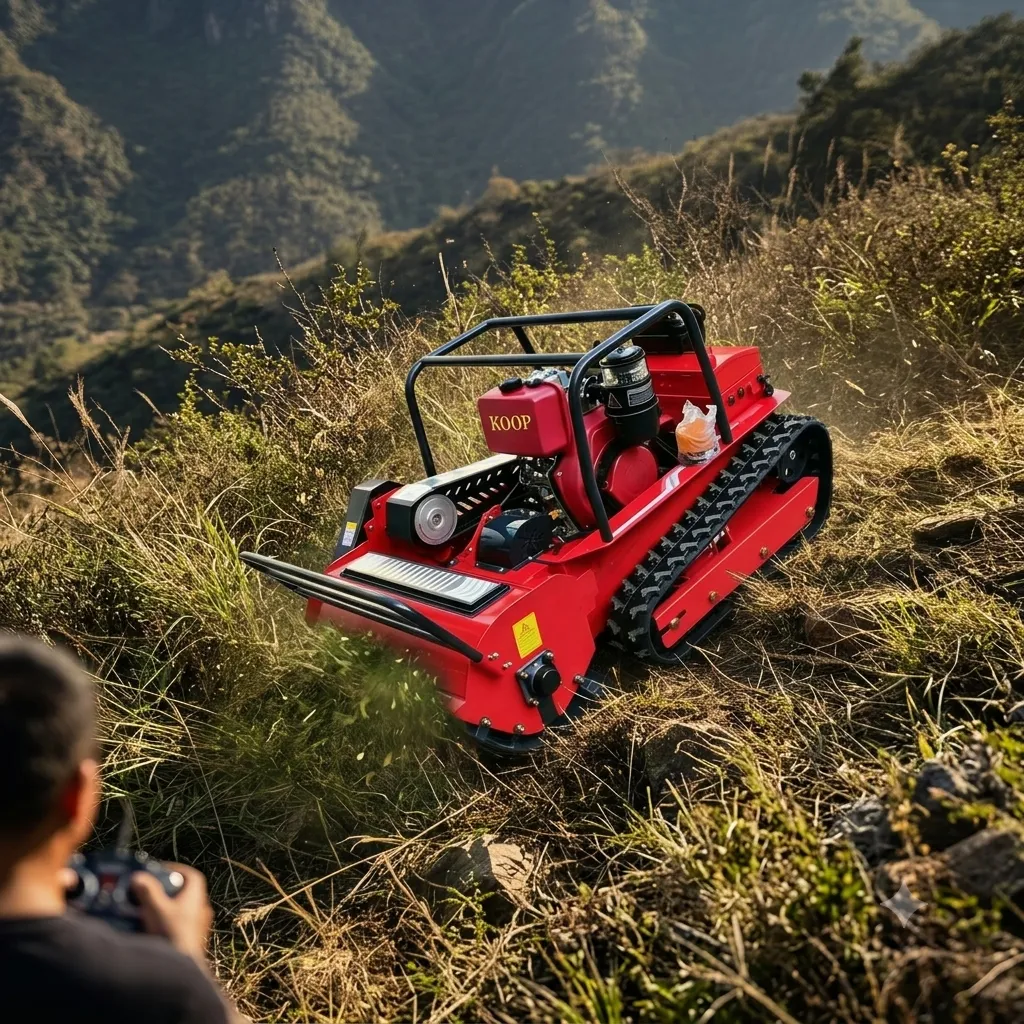
The operator does not need to stand close to the machine. MERI mowers have an 800 m standard remote range, or up to 1,000 m with the optional R1 industrial remote. That means the operator can often work from one good spot for longer.
Range is not the same as safe working distance, though. The operator must still see the machine and the ground around it clearly. Plan a few standing spots per zone that give a clear view and firm footing. Choose spots above or beside the machine, never below it. See our guide on where to stand on a steep bank.
Mark a safe path between spots before the day starts. A worn path is easier on the legs than picking a new line across the bank each time.
Rotate tasks in the crew
On larger jobs, split the work so no one runs the remote all day. Common tasks to rotate are:
- Running the machine.
- Spotting: watching for people, vehicles or animals entering the area.
- Hand work around posts, signs and edges.
- Refuelling, flail checks and moving the trailer.
Each running machine still needs its own operator. One person should not try to run two mowers to save labour. Our guide can one operator run two remote mowers? explains why.
A sample day
This is an example plan with assumed times, not a rule. Adjust it to your site, climate and local work rules.
| Time block | Machine | Crew |
|---|---|---|
| Start of day | Pre-start checks, then open slopes | Walk the site, agree standing spots and paths |
| Mid-morning | Stopped for refuel and flail check | Short break in shade, swap operator |
| Late morning | Steeper zones while people are fresh | Spotter watches the edge of the work area |
| Midday | Parked and set safe | Longer break, out of the sun |
| Afternoon | Easier zones and tidy-up passes | Swap operator again, finish hand work |
Use the same pre-start routine every morning, so nothing is skipped when people are tired. Our first start guide lists the basic checks.
Put the hardest ground early in the day. Leave simple, open areas for the end, when focus drops.
The handset matters too
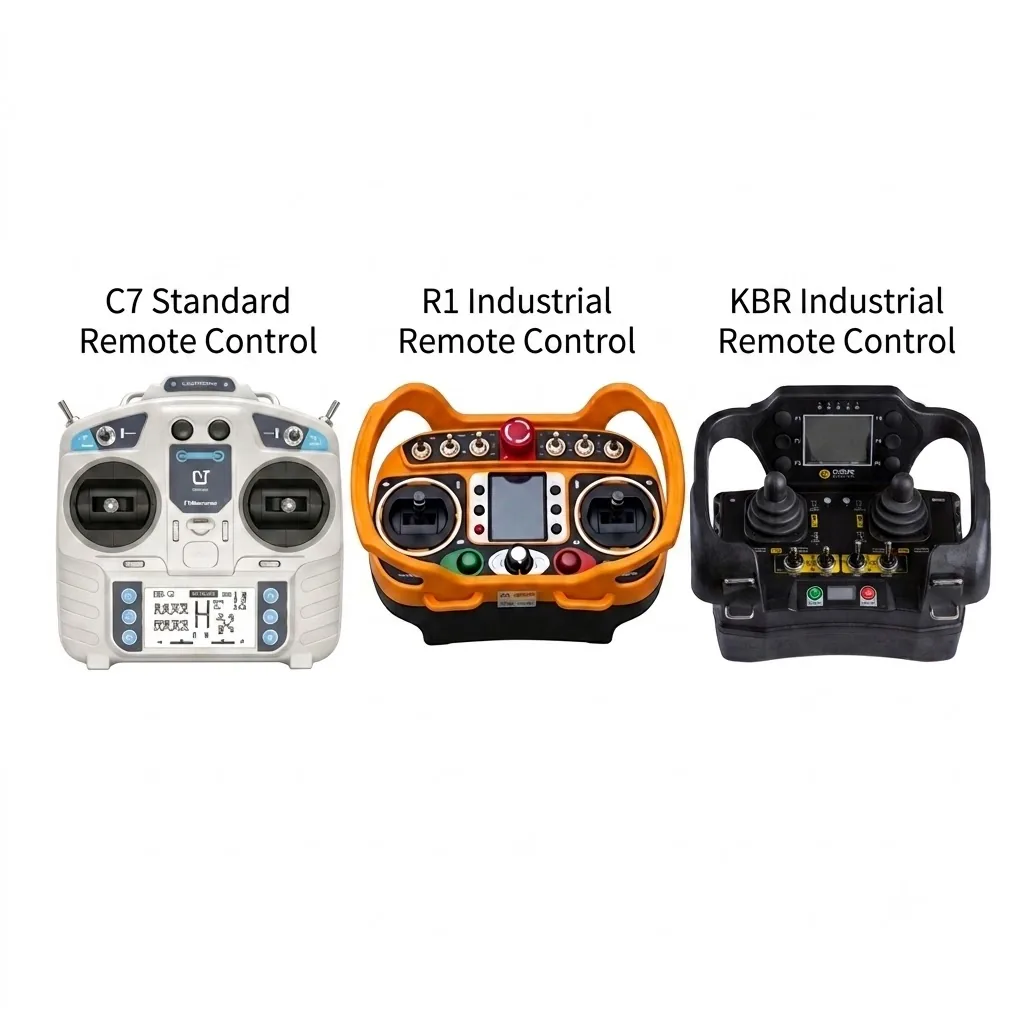
An operator holds the handset for hours, so its layout and fit matter. MERI offers the C7 standard remote and the R1 and KBR industrial remotes. Let operators try them during a demo before you choose. Keep the same handset type across the crew, so everyone knows where the stop is without looking. Read more in industrial radio remotes on mowers.
For road and highway work, where days are long and traffic adds stress, see remote mowers for highway embankments.
What to send MERI
- The area and steepest slope of your typical job.
- How many operators work on a site at once.
- Your usual working hours and summer temperatures.
- Which handset type your crew prefers, if any.
- Whether you need spare handsets for task swaps.
Frequently asked questions
How far can the operator stand from a MERI mower?
MERI mowers have an 800 m standard remote range, or up to 1,000 m with the optional R1 industrial remote. The operator should still keep a clear view of the machine and the ground around it.
Can one operator run two remote mowers to save labour?
We do not advise it. Each running machine needs its own operator who can watch it all the time.
What should happen before an operator takes a break?
Stop the machine and set it safe first. Never leave a running mower unattended on a bank.
Which remote handsets does MERI offer?
The C7 standard remote and the R1 and KBR industrial remotes. Let your operators try them during a demo, then keep one type across the crew.
Plan your bank-mowing crew with MERI
Tell us about your sites, crew size and working hours. MERI will suggest models and handset options and send a quote.
Need a mower recommendation for your terrain or project?
Get a Quote