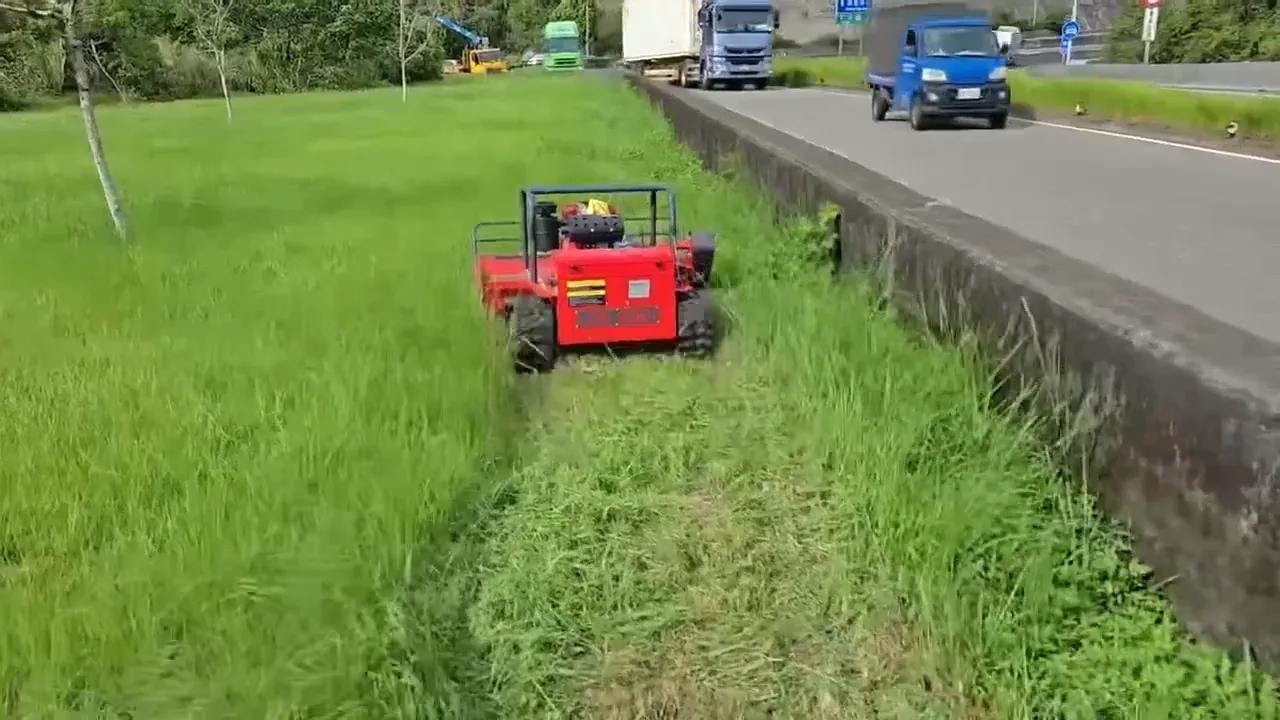
Short answer: When you mow in a park or on a verge, set a public exclusion zone around the machine before you start. Size it from the operator manual, your risk assessment and the site owner’s rules, not from the radio range. Mark it with cones or barriers and signs. Keep the mower in your sight at all times. Stop the cutting head and the tracks as soon as anyone walks into the zone, and restart only when they have left.
Remote mowers keep the operator off steep and rough ground. In public spaces, though, the risk shifts. People walk dogs, children play, and cyclists use paths next to the bank. A flail or blade can throw stones and debris. This guide is for contractors, council crews and the dealers who train them. It covers how to set the zone, mark it, and run the day.
Start with the site walk
Walk the area before every job, not just the first one. Things change between visits.
- Pick up stones, bottles, wire and litter from the cutting area.
- Note paths, benches, play areas, bins and car parks next to the bank.
- Find spots where people enter without warning, such as gaps in hedges.
- Check where the mower will drop out of view, such as the brow of a convex bank.
MERI’s own guidance says the operator must survey the area, keep an exclusion zone and stop when unknown material enters the work path. Our page on visibility on convex slopes helps you pick a safe operator position.
Size the zone from risk, not range
MERI mowers list a control range of 800 m as standard, or up to 1,000 m with the upgraded R1. That is a radio figure. It does not tell you how far away you should stand, or how wide the public zone should be. Our guide to remote mower control range explains the difference.
| Factor | Why it matters | What to do |
|---|---|---|
| Debris on site | Stones and glass can be thrown | Clear the area and widen the zone where you cannot |
| Path below the bank | Walkers pass under the cutting line | Close or divert the path while you cut that section |
| Operator view | You must see people before they reach the machine | Use a second person as a spotter on busy sites |
| Deck type | Flail and flat-blade decks behave differently | Follow the operator manual for the exact model |
Source: MERI product pages and buying guides, checked November 2026. MERI does not set a single distance for every site. Agree the zone with the site owner and write it into the method statement.
Mark it so people understand
A zone only works if the public can see it. Keep the setup simple.
- Place cones or barriers at every path that enters the area.
- Put up signs that say mowing is in progress and the path is closed.
- Use a spotter at busy entry points, with a radio or phone to the operator.
- Remove the signs as soon as the section is done, so people trust them next time.
On road verges, traffic rules and the road authority’s permit decide the setup. Follow their traffic management plan. The remote mowers for municipal grounds page covers fleet planning for councils.
Stop rules for the operator
Agree the stop rules before the job, so nobody has to decide in the moment.
- Stop the cutting head and tracks when a person, dog or vehicle enters the zone.
- Stop when the mower drops out of sight.
- Stop when anything unknown enters the cutting path.
- Restart only when the zone is clear again.
Check the emergency stop at the start of each day. Our page on emergency stop switches and relays lists the parts involved.

Parks and school grounds
Schools and parks are the busiest sites. Mow when they are quiet. Many schools ask for cutting outside school hours or in holidays. The remote mowers for parks and schools page has more on scheduling.
What to send MERI
- Type of public site and how busy it is.
- Slope, area and vegetation height.
- Paths or roads next to the cutting area.
- Number of units and operator training needs.
Frequently asked questions
How big should the exclusion zone be?
There is no single figure for every site. Size it from the operator manual, your risk assessment and the site owner’s rules, then write it into the method statement.
Can I use the control range as the zone size?
No. The 800 m standard range, or up to 1,000 m with the R1, is a radio figure. The zone depends on debris, paths and what you can see.
Do I need a spotter?
On busy sites, a second person at entry points helps. They warn the operator before someone walks into the zone.
What if someone walks into the zone?
Stop the cutting head and tracks at once. Restart only when the person has left and the zone is clear.
Plan remote mowing on public sites
Send the site type, slope, area and nearby paths. MERI will suggest a model and quote for councils, grounds contractors and dealers, with operator training notes.
Need a mower recommendation for your terrain or project?
Get a Quote